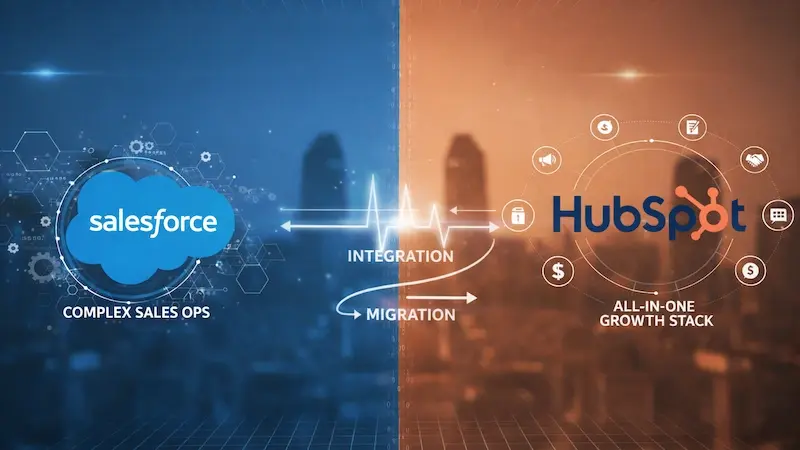
When to Integrate and When to Migrate

Have you ever looked at your tech stack and felt like you were managing a jigsaw puzzle where the pieces don’t quite fit? If you are a leader in a growing company, you know that the friction between your sales and marketing tools can be the silent killer of your revenue goals. At the heart of this struggle is the ultimate industry rivalry: HubSpot vs. Salesforce.
Choosing between these two platforms isn’t just about picking a software. It’s about deciding how your business will scale. Do you keep both and lean into a HubSpot Salesforce integration, or is it time to cut the cord and migrate fully to one side?
In the world of Revenue Operations (RevOps), your platform choice dictates how well your people and processes can actually perform. As we’ve noted before, aligning people, process, and platform is the only way to ensure sustainable growth. Today, we’re going to look at the technical trade-offs of these two giants and help you decide which path leads to a smoother, more profitable future.
Two Different Worlds: The Philosophy of CRM
Before we dive into the “how,” we have to understand the “why.” Salesforce and HubSpot were built with very different DNA.
Salesforce: The Power of Infinite Customization
Salesforce is often called the “operating system” of business. It was designed to be a massive, flexible database that can be tailored to the needs of any enterprise. If you have a global sales team with 15 different currencies, 20 custom objects, and a need for deep Apex coding to automate a proprietary shipping process, Salesforce is your best friend.
However, that power comes with what many call the “Admin Tax.” Because it is so complex, you almost always need a dedicated administrator or a team of developers just to keep the lights on.
HubSpot: The Crafted User Experience
On the other side of the ring, HubSpot was built on a single, unified codebase. It wasn’t “cobbled” together through dozens of acquisitions; it was “crafted” for ease of use. This is why HubSpot consistently wins in terms of usability. In fact, according to G2’s 2024 reports,
HubSpot ranks #1 in Usability for Enterprise CRMs, scoring significantly higher than Salesforce.
The philosophy here is simple: A tool is only valuable if your team actually uses it. If your sales reps find the CRM too clunky, they won’t enter data. If they don’t enter data, your RevOps strategy is dead on arrival.
The Case for Connection: When to Choose Integration
For many mid-market companies, the answer isn’t “either/or”—it’s “both.” This is where the HubSpot Salesforce integration shines. This setup typically involves using Salesforce as the primary CRM for the sales team and HubSpot as the Growth Stack for marketing and customer service.
Why Stay in a Mixed Marriage?
There are very valid reasons to keep Salesforce for sales while using HubSpot for marketing. If your sales team has spent a decade building custom workflows, forecasting models, and complex territory management in Salesforce, moving them might cause a revolt.
But marketing teams often find Salesforce’s marketing tools (like Marketing Cloud or Pardot) to be difficult to use without a degree in computer science. By using the HubSpot Salesforce integration, you allow each team to work in the environment where they are most productive.
The Technical Reality of the Sync
The integration uses a native connector that enables bidirectional data flow. You can set up Inclusion Lists so that only specific HubSpot leads are imported into Salesforce, preventing your sales database from cluttering with “junk” leads.
However, we have to talk about the elephant in the room: sync errors.
The “Sync Error” Nightmare
Ask any RevOps manager what keeps them up at night, and they will likely say HubSpot Salesforce sync errors. When you have two different databases trying to talk to each other, things can get messy.
Imagine a lead fills out a demo request form in HubSpot. In your mind, that lead should pop up in a sales rep’s inbox in seconds. But what if there is a picklist mismatch? What if a required field in Salesforce isn’t being captured in HubSpot? The lead sits in limbo.
Data errors are more than just a headache; they are a massive financial drain.
Research suggests that bad data costs U.S. businesses roughly $3.1 trillion annually.
When your HubSpot Salesforce integration breaks, you aren’t just losing data; you are losing the trust of your sales team.
The Case for Commitment: When to Migrate Fully to HubSpot
While integration is a popular middle ground, there is a growing trend of companies moving away from Salesforce entirely to consolidate on HubSpot. This is particularly common for companies looking to break down the silos between departments.

Signs It’s Time to Migrate
How do you know if you’ve outgrown your integration? Here are a few red flags:
-
Low Salesforce Adoption: If your sales reps are keeping their notes in spreadsheets because Salesforce is “too hard,” the platform is failing you.
-
High Maintenance Costs: If you are paying for two sets of expensive licenses plus a Salesforce consultant just to manage the sync, your ROI is shrinking.
-
Data Fragmentation: If your marketing team sees one version of a customer and your sales team sees another, you don’t have a single source of truth.
The HubSpot Growth Advantage
Consolidating on HubSpot simplifies everything. When your marketing, sales, and service hubs live on one platform, there is no “syncing.” A change made by a customer service rep is immediately visible to the sales rep.
The results of this alignment are measurable.
According to HubSpot’s ROI Report, companies that switch to HubSpot see a 129% increase in deals closed-won after just one year.
This isn’t necessarily because HubSpot has “magic” features that Salesforce doesn’t; it’s because the teams are more aligned and the software is easier to use.
A Note on Complexity
We often hear the myth that HubSpot isn’t powerful enough for enterprise sales. That might have been true five years ago, but it is not true today. With the advancement of custom objects and advanced reporting, HubSpot can now handle the vast majority of use cases that once required Salesforce.
Managing the Transition: Integration or Migration?
Whether you decide to optimize your HubSpot Salesforce integration or move forward with a complete migration, you need a plan. You cannot simply “flip a switch” and expect everything to work.
Step 1: The Data Audit
Before you do anything, look at your data. Is it clean? Are there duplicates? If you migrate “dirty” data from Salesforce to HubSpot, you are just moving the problem to a prettier interface. Remember: garbage in, garbage out.
Step 2: Mapping the Process
You need to map out exactly how a lead moves from the first click on an ad to a signed contract. Who owns the lead at each stage? What data points are required? If you are integrating, you must decide which platform each field’s System of Record is on.
Step 3: Professional Support
This is not the time for DIY. Whether you are setting up a complex sync or moving thousands of records, professional help is vital. Many companies seek HubSpot implementation and onboarding services to ensure their historical data remains intact and their automation doesn’t break on day one.
The Decision Matrix: A Quick Guide
Still not sure which path to take? Let’s make it simple.
Is Your Tech Stack Building or Breaking Your Business?
Ultimately, the HubSpot vs. Salesforce debate isn’t about which software is “better.” Both are world-class tools. The real question is: Which one fits your team’s culture and your company’s growth stage?
In a RevOps world, your tools should be invisible. They should sit in the background and empower your people to do their best work. If you spend more time talking about sync errors and “the CRM” than you do about your customers, something is wrong.
Choosing to optimize your HubSpot Salesforce integration can give you the best of both worlds if managed with discipline. On the other hand, migrating fully to HubSpot can unlock a level of speed and visibility that legacy systems often block.
Think about your goals for next year. Do you want to spend those months fighting with your database, or do you want to spend them closing deals? The choice of platform is the foundation of your entire revenue engine.
How Aspiration Marketing Can Help
At Aspiration Marketing, we specialize in helping companies turn their CRM from a source of frustration into a source of growth. We understand the nuances of the HubSpot vs. Salesforce showdown because we live in it every day. Whether you need to fix a broken integration or you are ready to make the leap and migrate to HubSpot, we provide the expert guidance and RevOps strategy you need to succeed.
We believe that your technology should be a catalyst, not a hurdle. Our team works with you to audit your processes, clean your data, and ensure that your platforms are perfectly aligned with your business goals.
Are you ready to stop fighting your CRM and start growing your business?
Contact Aspiration Marketing today to book a RevOps audit. Let’s look at your current setup and determine if it’s time to integrate, migrate, or simply optimize for the road ahead. Your team—and your bottom line—will thank you.