
Accessible Business Tech: Empowering Tools & Processes

Remember when accessibility was just a mandatory box you had to check? Well, those days are long gone. Now, accessibility needs to be a core part of your business setup. Why? Because the audience is enormous.
Around 1.3 billion people globally live with a significant disability—that’s one out of every six people you meet! And once you include temporary issues, such as a broken arm or a severe flu, the numbers get even bigger. These folks aren’t “edge cases;” they’re your colleagues and your customers.
Furthermore, remote work has changed everything.
With so many of us still working from home—about a quarter of paid workdays in many places—features like clear audio and live captions aren’t nice-to-haves anymore.
They’re necessary for everyone. Simply put, good accessibility is about keeping your entire distributed team connected and productive, even when things get messy.
.webp?width=800&height=451&name=Business%20tech%20and%20accessibility%20(1).webp)
The message is clear: When teams with diverse abilities work across various locations and devices, accessible technology becomes essential for completing work efficiently and effectively. Easy-to-use tools and platforms enhance productivity and help individuals feel more engaged and satisfied with their work. You’ll see fewer errors and faster decisions, along with a business culture that attracts top talent.
Below, we’ll explain why accessibility matters to every team member. Learn what tools to use and processes to implement to make your business technology accessible to almost everyone. Read on.
Why Accessibility Matters for Every Team Member
Web accessibility refers to equitable access to tools and information on the internet. People can do their best work when technology works for them, whether they use screen readers, prefer keyboard shortcuts, need clean layouts to manage ADHD, or juggle caregiving with flexible schedules.
Companies see real gains when they get this right.
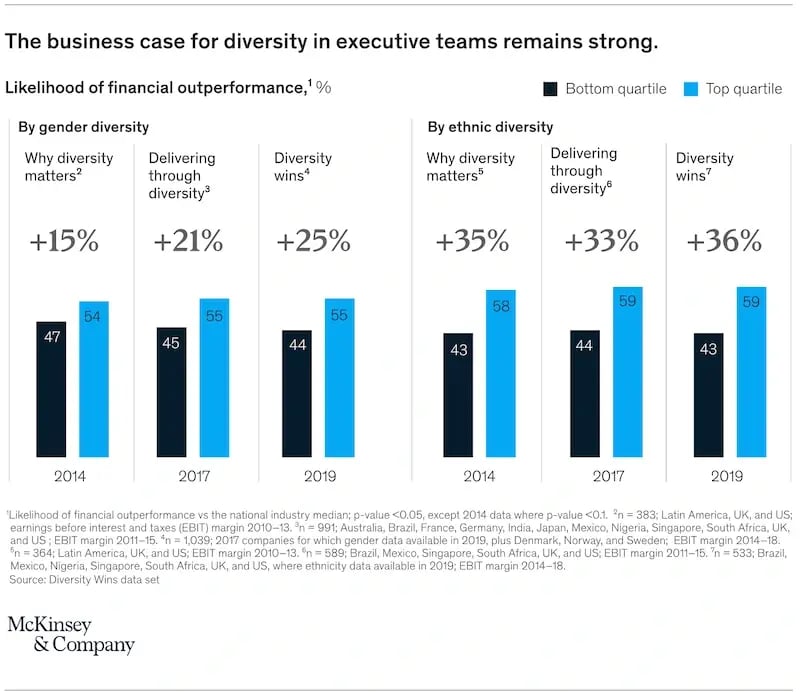
McKinsey found that companies in the top quartile for gender diversity were 25% more likely to outperform on profitability.
Accessibility enables diversity to thrive by eliminating everyday friction.
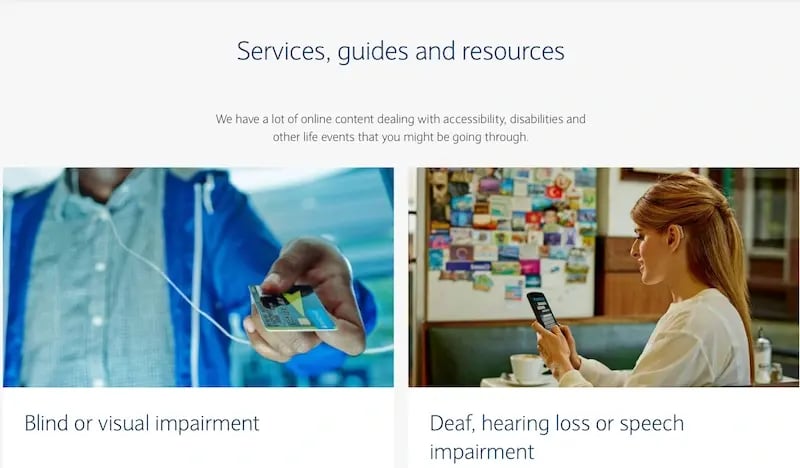
 Look at what’s already happening:
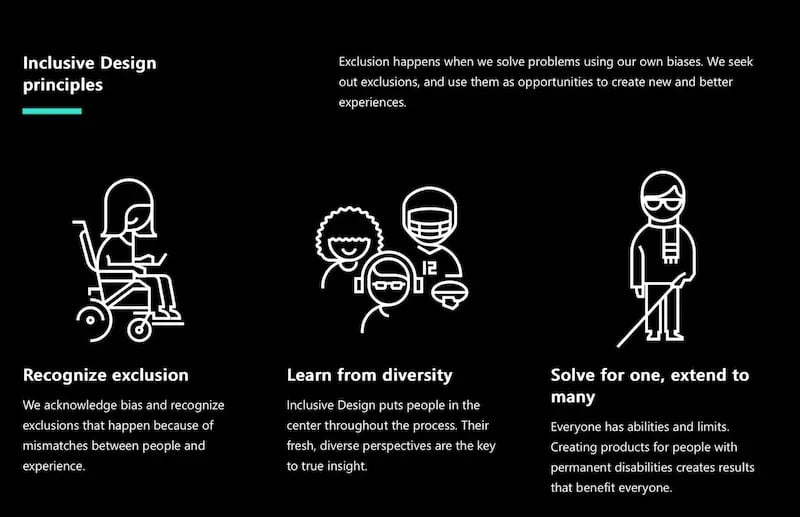
Learn from Ryan Hammill, the Executive Director of the Ancient Language Institute. He recommends investing in technology and making tools readily available and surely accessible to everyone.
Hammill says,
When we design technology with accessibility at the forefront, we create solutions that work better for everyone. The curb-cut effect is real…features like voice commands and keyboard shortcuts that support employees with disabilities also help someone carrying coffee or working in a noisy environment. Accessibility sparks innovation that benefits your entire workforce.
Accessibility Tools and Processes That Empower Every Team Member
Accessible tools and transparent processes enable every team member to work smarter and more effectively, whether managing projects, communicating, or enhancing social media accessibility. The goal is straightforward: reduce friction, boost productivity, and simplify everyday tasks for everyone.
Consider the accessibility tools and processes below that could empower your team.
Tools for enhancing accessibility in business technology
The right technology removes everyday barriers and helps teams work more efficiently. Consider tools that enhance the capabilities of marketing teams while promoting accessibility for all. Here are some business technologies to consider for establishing accessibility:
1. Assistive technologies
Screen readers turn on-screen content into speech or braille. NVDA (free and open source), JAWS, VoiceOver for macOS, and TalkBack for Android each have their strengths. Voice recognition helps anyone who needs or prefers talking over typing. Dragon Professional, Windows Voice Access, and macOS Voice Control are at the forefront.

These tools are most effective when integrated into actual workflows. That means tagging documents properly, writing descriptive links, using helpful headings, and maintaining consistent navigation. Good content structure turns assistive tools into productivity boosters.
Take it from Ken Chartrand, CEO of Encore Business Solutions. He highlights the power of assistive technology for granting accessibility.
However, Chartrand suggests,
The key to the success of assistive technology lies in proper configuration and support. Screen readers and voice recognition software have incredible capabilities, but they need to be customized to your specific workflows. Investing time in setup and providing ongoing technical support ensures these tools genuinely enhance productivity rather than creating new barriers.
2. Communication platforms
Slack, Zoom, and Microsoft Teams have built solid accessibility features. You just need to turn them on and use them consistently.
-
Zoom, with its accessibility settings, handles live transcription, captioning, and keyboard shortcuts well.
-
Microsoft Teams adds CART integration and background blur to cut visual noise.
-
Slack improved color contrast and screen reader support based on user feedback.
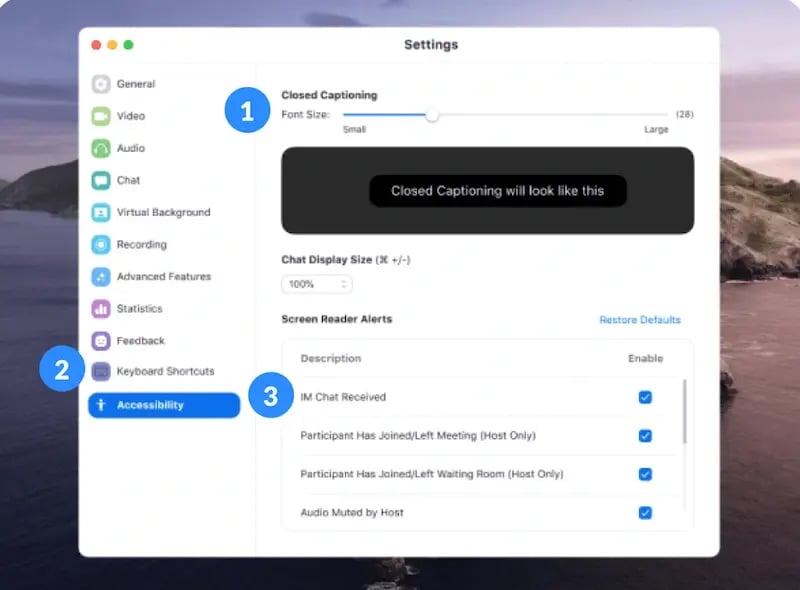
Making simple changes can have a significant impact. Enable live captions for all meetings. Share agendas and documents in advance. Record meetings and provide transcripts for individuals who process information more effectively in writing or who missed the call.
3. Project management tools
Good project tools keep everyone on the same page. Trello and Asana have significantly expanded their keyboard navigation and screen reader support. You can reduce cognitive load by writing clear labels, avoiding color-only indicators, and keeping task titles concise.
A few adjustments go a long way: Structure task descriptions with headings. Replace color-coded status markers with text or icons. Let people choose which notifications they actually need, instead of overwhelming them with updates.

Processes to support accessibility in the workplace
Accessible workplaces are built through consistent habits and transparent processes, as well as the innovative use of marketing technology that supports inclusive communication. These practices enable teams to identify barriers early and resolve issues promptly, fostering a culture where everyone can contribute fully. Below are processes to implement as a way to support workplace accessibility.
1. Training and awareness
Tools alone won’t change anything. People need to understand why accessibility matters and how to use available features. Combine practical demonstrations with real-life stories from colleagues who rely on these tools daily. Consider quarterly workshops, short refresher videos, and drop-in sessions where individuals can ask questions without fear of judgment. This not only benefits the organization internally but can also be leveraged externally to enhance brand credibility.
Ryan Beattie, Director of Business Development at UK SARMs, conducts accessibility training to raise employee awareness. He believes that establishing accessibility starts with proper orientation and training.
Beattie shares,
Accessibility training should go beyond compliance checkboxes. The most successful programs we’ve developed combine hands-on experience with assistive technologies, scenario-based learning, and stories from employees with disabilities. When team members understand both the ‘how’ and the ‘why’ of accessibility, they become advocates who drive lasting change.
2. Regular accessibility audits
Think of accessibility like security. It needs constant attention. WCAG 2.2 provides solid guidelines, but combines automated checks with real human testing.
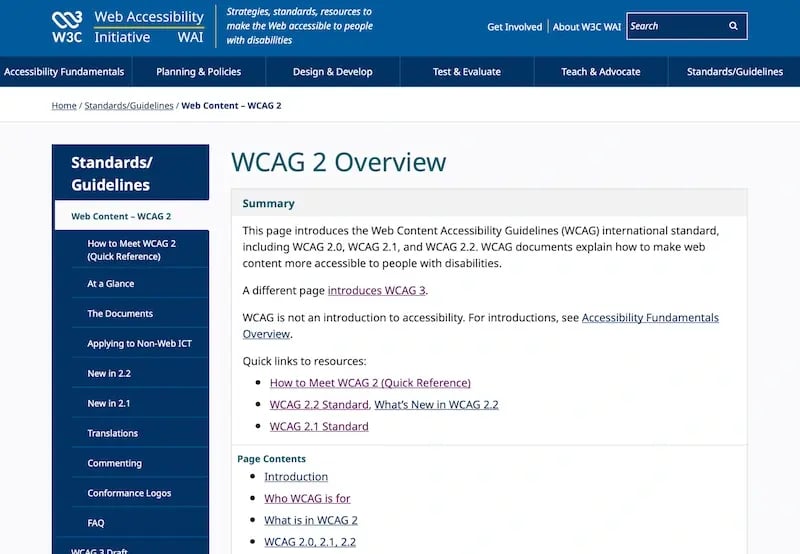
Several tools help, such as the following:
Track metrics that matter: Can people complete key tasks? How many errors occur during form submissions? How long does it take to find information during meetings? What do assistive technology users say about their experience? How quickly do you fix reported issues?
3. Feedback mechanisms
Make it easy for people to report problems. Set up a dedicated Slack channel. Create a short, anonymous feedback form. Appoint accessibility champions in each department. When someone reports an issue, acknowledge it, explain what you’ll do, and follow through. Even fixing small things like missing alt text shows you’re listening.
How To Overcome Challenges in Implementing Accessibility
Implementing accessibility can feel overwhelming. Budgets shrink, systems age, and teams fear making mistakes. However, progress is still possible when you design not only for conversion but also for accessibility. The key is to start small, focus on high-impact changes, and build momentum as your tools and processes improve.
Learn from Shan Abbasi, Director of Business Development at PayCompass. While he understands that establishing accessibility presents challenges, he believes business leaders can overcome them by investing in modern tools and streamlined processes.
Abbasi suggests,
Start with high-impact, low-cost changes like enabling built-in accessibility features in existing software and establishing clear feedback channels. Many organizations already have powerful accessibility tools they’re simply not using. Build momentum with these quick wins, then use the positive results to justify larger investments.
First, make accessibility a key consideration in your buying decisions. Ask vendors for their VPAT (Voluntary Product Accessibility Template) and test their claims. Clean up your content – clear headings and descriptive links cost nothing but time. If you’re stuck with old systems, use temporary fixes while planning real solutions.
Leadership matters here. When executives use captions, request accessible presentations, and fund training, teams notice. Culture beats compliance every time.
The Future of Accessibility in Business Technology
AI keeps pushing boundaries. Real-time captions get better every month. Documents tag themselves. Interfaces adapt to individual preferences automatically.
AI will revolutionize workplace accessibility through real-time captioning, intelligent document remediation, and personalized interface adaptations. Many companies and organizations are already testing systems that automatically adjust screen layouts based on individual needs and usage patterns. The future workplace will adapt to each employee, rather than forcing employees to adjust to rigid systems.
We’re seeing this already:
.webp?width=800&height=472&name=Google%20project%20euphonia%20(1).webp)
Stay ahead by testing new features with actual employees. Update your standards regularly—budget for ongoing improvements, not one-time fixes.
Final Words: The Value of Investing in Accessibility
Accessibility makes good business sense. Everyone contributes more effectively. Daily work flows better. Your reputation improves with employees and customers alike. Small wins create momentum for bigger changes.
Pick one system you use daily. Maybe video meetings, project boards, or your intranet. Make it work for everyone. Turn on captions. Fix the headings. Ask what’s not working. Run a quick audit. Then, keep going.
Here’s something concrete: Review your top three tools this month. Note what needs fixing. Ship two improvements within 30 days. Progress beats perfection, and you’ll see results faster than expected.
Remember the curb-cut principle: When you build for one, you help many. Those sidewalk ramps help parents with strollers, delivery workers with hand trucks, travelers with rolling luggage, as well as wheelchair users. The same goes for workplace technology!
If you’re looking to invest in accessibility tools and processes, consider working with Aspiration Marketing, which offers digital marketing and web design services. Get in touch with them today to see how they can help!